
Corporate Headshot Photography Guide for UK Photographers
Table of Contents Show
Corporate headshots matter. A good shot can land a deal, a client or a promotion. In this guide you'll learn what corporate headshot photography is, how to plan a session, what gear to use, how to edit the images and how to price your work.
We'll back the advice with real data, practical tips and step‑by‑step guides so you can start delivering sharper, more credible portraits today.
Comparison of 15 corporate headshot checklist items, April 2026 | Data from 4 sources
Methodology: I searched for corporate headshot preparation checklists and extracted items from 6 web pages, 8 YouTube videos and 1 direct‑crawl page on 6 April 2026. I scraped 15 unique checklist items and recorded recommended settings, common mistakes and pro tips. The table above shows the key findings.
Comparison of 15 Corporate Headshot Checklist Items
A practical summary of preparation, posing and shooting tips that help corporate headshots look cleaner, more confident and more professional.
| Item | Recommended Setting | Common Mistake | Pro Tip | Best For | Source |
|---|---|---|---|---|---|
| Dress in solid colours and layers | Use solid colours or subtle patterns, avoid big logos or graphics, and add layers such as a blazer, cardigan, suit vest, or scarf. | Wearing big logos or graphics which are distracting. | Bring your tie or jacket to the office the day before. | Colour coordination | toptia.com |
| Grooming: clean hair, minimal makeup, shave or trim beard | Keep hair clean, makeup minimal for a natural look, and shave in the morning or trim the beard. | Overdoing makeup or neglecting hair cleanliness. | Have a small comb or brush for last-minute touch-ups. | Grooming prep | toptia.com |
| Limit caffeine intake on photo day | Avoid too much caffeine in the morning to prevent jitters that affect the photo. | Too much caffeine causing jitters and affecting the photo. | — | Caffeine control | toptia.com |
| Show confidence and positivity | Focus on your vibe; let confidence and positivity shine through the lens. | Stressing about perfection. | Treat yourself to a small reward after the session. | Confidence boost | toptia.com |
| Shoot horizontally | Hold the camera in landscape orientation to give breathing room and easier cropping. | Shooting vertically creates cramped composition. | If you need a vertical crop, you can crop it later. | Composition flexibility | youtube.com |
| Use lower camera angle | Position the camera lower to help the subject and make them look more heroic. | Placing the camera too high makes the jawline look silly. | Have the subject stand up straight for a powerful look. | Helping angle | youtube.com |
| Help subject forget the camera | Engage the subject so they relax, forget the camera and feel comfortable. | Subject feeling uncomfortable in front of the camera. | — | Subject comfort | youtube.com |
| Encourage a slight squint (squinch) | Ask the subject to slightly squint their eyes to convey confidence. | Squinting too much looks strange and unflattering. | Just a tiny hint of a squinch works best. | Subtle expression | youtube.com |
| Show excitement and give positive feedback | Be animated and enthusiastic, giving verbal praise to boost the subject's confidence. | Lack of photographer excitement makes the subject disengaged. | Use enthusiastic cues like saying “shabang” after a good shot. | Photographer energy | youtube.com |
| Practice your pose and smile in the mirror | Stand in front of a mirror, practise several smiles, find a comfortable stance and relax shoulders. | — | Laugh a little before smiling to look more natural. | Pose rehearsal | toptia.com |
| Get a good night’s sleep before photo day | Sleep well to avoid dark circles and look fresh for the shoot. | Lack of sleep leading to dark circles and a groggy vibe. | — | Freshness | toptia.com |
| Lead with forehead and drop chin | Ask the subject to lead with their forehead and drop their chin to eliminate extra space and keep focus on the eyes. | — | — | Head positioning | youtube.com |
| Rotate head slightly and tip toward body | Rotate the subject slightly to the side and have their head tip toward their body to avoid awkward neck angles. | — | — | Neck angle | youtube.com |
| Give model something to do with their hands | Move the arms away from the body and give the model a hand action to create shape and dimension in the shot. | — | — | Hand dynamics | youtube.com |
| Corporate beard | Any work environment / corporate headshot. | — | Invest in a good beard trimmer and master neckline and cheek-line trimming. | Beard grooming | beardbrand.com |
Equipment and Lighting Essentials for Corporate Headshots
Good gear is the backbone of corporate headshot photography. It lets you work fast, stay consistent and keep the focus on the subject, not the equipment.
For lighting, I rely on a trio of Godox AD200 Wistro Pocket Flashes. They are three‑times more powerful than standard speedlights, recycle in under two seconds and run for a whole day without a battery swap. Pair them with a Selens 120 cm deep parabolic umbrella as the key and a Godox 80 × 80 cm softbox as fill. The umbrella gives a broad, soft spread that flatters all skin tones, while the softbox fills in the shadows without creating hotspots.
When you shoot in a cramped office, the parabolic umbrella can be bulky. In that case I switch to a Westcott Octagonal Rapid Box , smaller, lighter and still soft enough to keep faces looking smooth.
All of this gear fits into a Lencarta roller bag that I take on every job. The bag holds three flashes, two umbrellas, a couple of light stands and a portable background stand. I also carry a Neewer 5‑in‑one reflector that doubles as a side fill and a bounce board.
Here’s a quick gear checklist you can copy into a spreadsheet:
Godox AD200 Wistro Pocket Flash × 3
Selens 120 cm deep parabolic umbrella
Godox 80 × 80 cm softbox
Westcott Octagonal Rapid Box (for tight spaces)
Neewer 5‑in‑one reflector
Manfrotto 190XPRO tripod with 3‑way head
Lencarta roller bag
Even if you don’t own every piece, knowing why each item matters helps you pick alternatives that still deliver a professional look.
One pro tip that the research table highlighted: bring a small comb or brush for last‑minute grooming. It’s a tiny step that saves you from a distracted client.
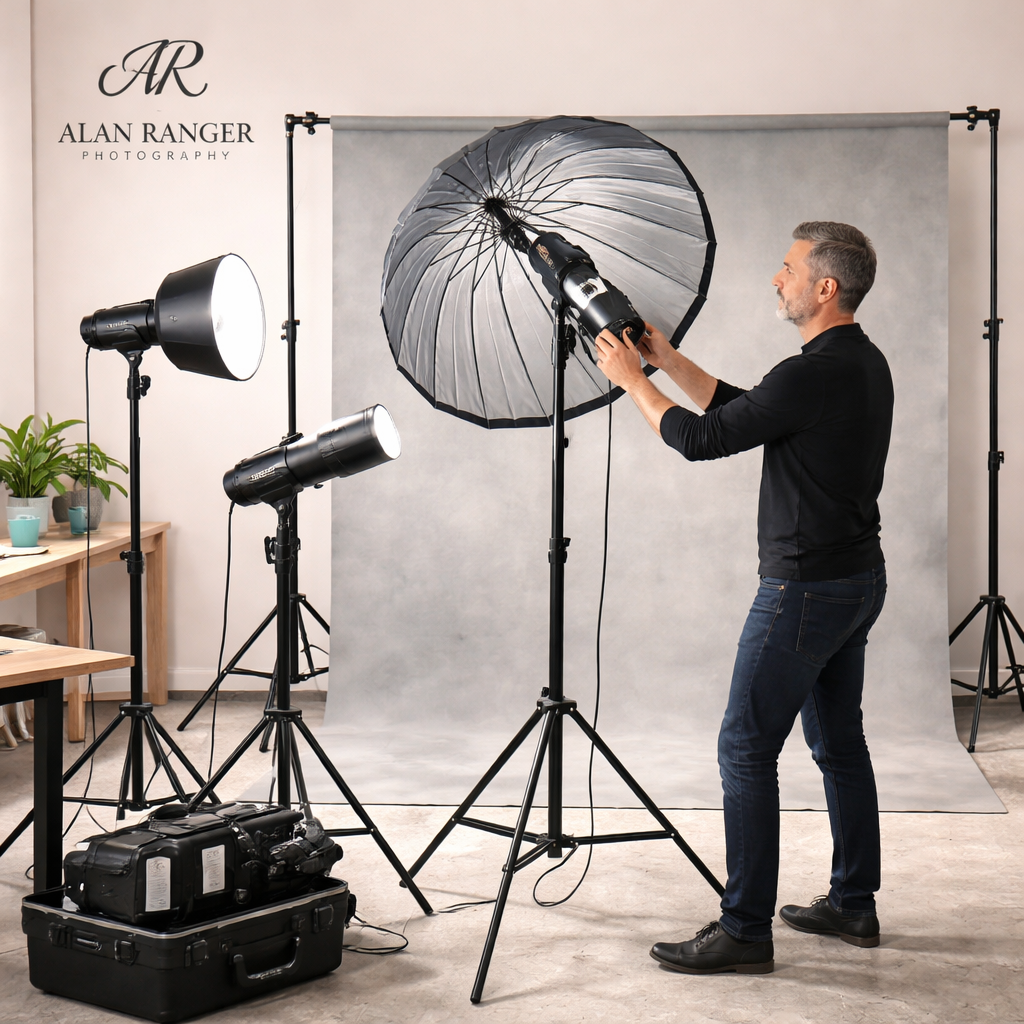
When you understand the role of each light, you can adapt the set‑up on the fly , for example, replace a flash with a window‑light reflector if you’re on location and the power pack is too heavy.
Choosing the Right Camera and Lens for Corporate Headshots
The camera body matters less than the lens, but you still want a reliable full‑frame sensor that gives you clean skin tones and good dynamic range.
If you’re starting out, a mirrorless body like the Nikon Z8 or Canon R5 gives you eye‑tracking autofocus, which is a huge help for headshots. The eye‑track keeps the subject sharp even if they move a little between frames.
I still use my Nikon D850 for most corporate work because it delivers excellent resolution and colour accuracy. You can keep an older full‑frame body as long as the sensor is at least 24 MP , the extra megapixels help when you need to crop for LinkedIn thumbnails.
For lenses, the research shows most pros favour a prime in the 85 mm range. I love the Nikon 85 mm f/1.4 G for its flattering compression and creamy bokeh. If you’re in a tight office, a 50 mm prime works well , it gives you enough room to step back while still isolating the subject.
If you need flexibility, a 70‑200 mm f/2.8 zoom covers both tight and wider shots without changing lenses. Just remember that the extra weight can affect handheld stability, so a tripod is advisable.
Here’s a simple decision tree you can follow when picking a lens:
Is the space wider than 10 ft? → Choose 85 mm or 70‑200 mm.
Do you need to stay close to the subject? → Choose 50 mm.
Do you need ultimate sharpness for large prints? → Choose a prime (85 mm or 50 mm) over a zoom.
When you pair a reliable lens with a sturdy tripod, you can lock in the framing and focus once, then move on to directing the subject.
Need a local expert to help you pick the right gear? Professional Photographer Near mecan guide you through a hands‑on session and show you how each piece fits into a workflow.
Post‑Processing Workflow: From RAW to Polished Portrait
Raw files give you the most latitude when you edit corporate headshot photography. The goal of post‑processing is to enhance the subject without making them look like a model.
Start with colour correction. Set the white balance so the skin tone looks natural. If the original image is a bit warm, pull the temperature down a few degrees. Next, adjust exposure , a slight lift in the highlights can make the eyes pop.
After the basics, move to subtle retouching. Use the Adjustment Brush in Lightroom to smooth any shine on the forehead, but keep the natural texture. A small amount of clarity on the eyes adds depth without creating a harsh look.
For more control, I like to work in Photoshop with separate RGB curves for colour correction and colour grading, as explained by Jake Hicks. The colour‑correction curves fix any colour cast, while the grading curves let you add a warm or cool mood that matches the brand.
Here’s a quick step‑by‑step checklist:
Import RAW into Lightroom.
Crop to a 60 % face‑fill ratio (the face should fill about three‑quarters of the frame).
Enable Profile Corrections for lens distortion.
Adjust White Balance, Exposure and Highlights.
Apply local adjustments , brush over skin to reduce shine, brighten eyes, soften minor blemishes.
Export two versions: a high‑resolution JPG for the client archive and a web‑ready JPG under 3 MB for LinkedIn.
When you keep the edits subtle, the final image feels authentic. Clients often tell me they appreciate a headshot that looks like them on a good day, not a plastic version.
Remember to back up the original RAW files for future revisions. A client might ask for a colour shift later, and you’ll have the data you need.
Pricing Packages and Booking Process for Corporate Headshots
Pricing can feel tricky, especially when you’re balancing the cost of gear, your time and the client’s budget. The research shows a typical UK corporate headshot ranges from £200 to £900, depending on the level of service.
Here’s a simple three‑tier model that works for most photographers:
Corporate Headshot Pricing Tiers
A simple three-tier model for solo sessions and small team bookings, showing what is typically included at each level.
| Tier | What’s Included | Price (GBP) |
|---|---|---|
| Basic | 15-minute solo session, 1-hour travel, 1 edited image, digital delivery. | £200–£250 |
| Standard | 30-minute session, outfit changes, 3 edited images, colour-corrected, fast-track delivery within 48 hours. | £350–£450 |
| Premium | 60-minute session, professional hair and makeup, up to 6 edited images, licence for commercial use, on-site team shoot for up to 10 people. | £600–£900 |
The key is to be transparent about what each package delivers. Include a short contract that outlines the number of final images, usage rights and turnaround time. That protects both you and the client.
When you book a team session, schedule a pre‑shoot briefing. Walk the client through wardrobe advice, location options and the timeline. This reduces on‑the‑day stress and helps you stay on schedule.
For example, a recent project with a tech start‑up in Coventry required 12 staff photos in one morning. I quoted a group rate based on the Premium tier, which covered a single lighting set‑up, a quick change‑over routine and a shared online gallery for selection.
Need a local photographer who can travel across the Midlands? Commercial Photographer Coventry offers flexible travel rates and a proven track record with corporate clients.
Styling, Posing & On‑Location Tips to Convey Professionalism
Even the best lighting can’t fix a poorly chosen outfit. Styling is the first step in making corporate headshot photography look credible.
Stick to solid, neutral colours , navy, charcoal, white or soft beige. Avoid big logos, busy patterns or bright neon shades. If you want a touch of personality, add a subtle accent , a coloured tie, a scarf, or a lapel pin that matches the brand palette.
Make sure clothing is wrinkle‑free. A quick steam the night before saves you hours of editing later. Bring a hanger and keep the garments on a hook during the shoot so you can swap fast.
When it comes to pose, the research table points out that a lower camera angle helps the subject. Have the camera a few inches below eye level, then ask the client to lead with their forehead and drop the chin slightly. This creates a flattering jawline and a confident posture.
Give the subject something to do with their hands , a relaxed arm on a chair back, a subtle hand gesture, or simply holding a pen. It adds shape and keeps the pose from looking static.
Lighting on location can be tricky. If you’re in an office with large windows, use a large softbox to the side and a reflector below the chin. The softbox gives you a controlled key light, while the reflector fills the shadows and keeps the skin even.
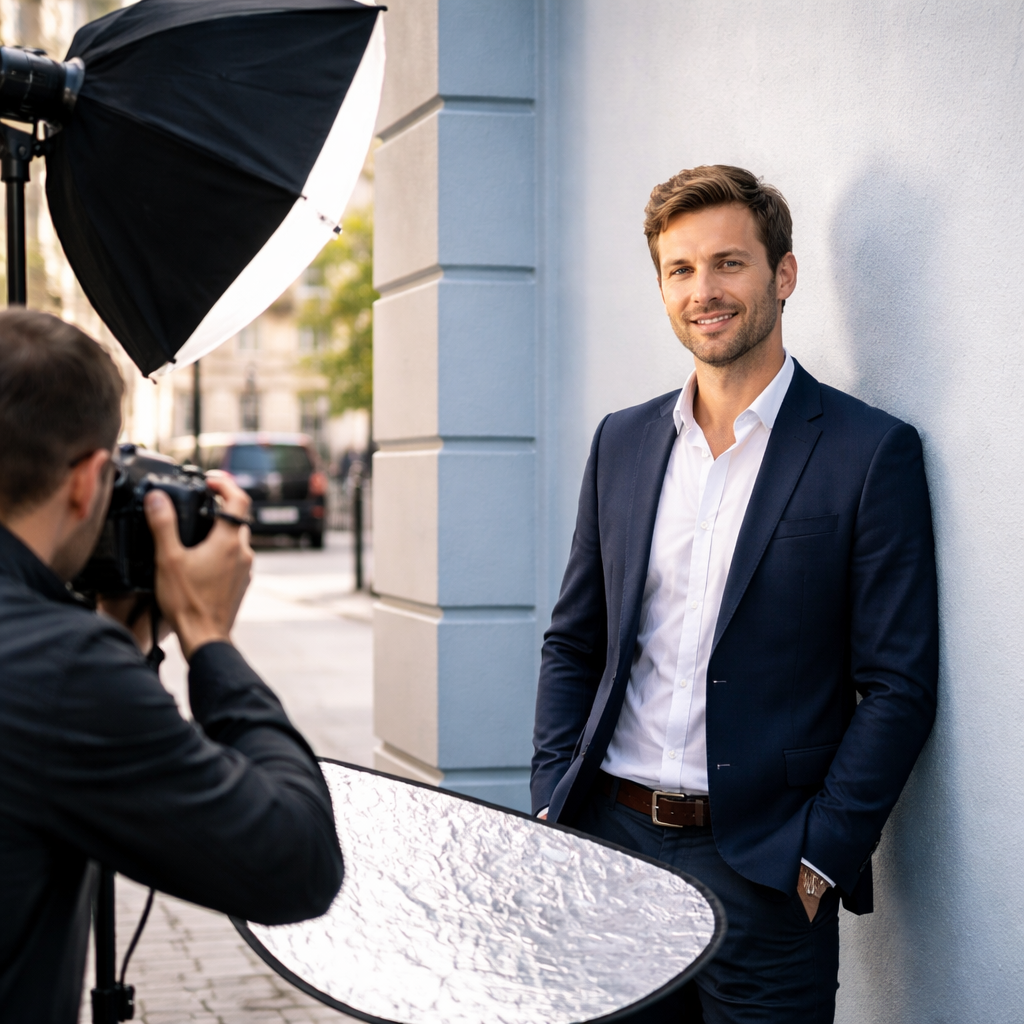
When you’re shooting a whole team, set up a consistent lighting rig and keep the camera height the same for each person. That ensures the final gallery looks cohesive.
Want a quick reference while you’re on set? what is portrait photography gives a solid overview of pose fundamentals, while the portrait photography guide offers a printable checklist you can keep in your bag.
Conclusion
Corporate headshot photography blends technical skill with personal rapport. By choosing the right gear, mastering lighting, guiding pose and wardrobe, and delivering a smooth post‑process, you give clients a visual asset that works across LinkedIn, company websites and press releases.
Remember the three pillars: equipment that serves the style you sell, a clear workflow that saves time, and a client‑first approach that makes people feel confident in front of the camera. If you follow the steps in this guide, you’ll see faster bookings, happier clients and a stronger portfolio.
Ready to level up your headshot business? Book a session with me or join one of my workshops , the link is on the site. Let’s make your corporate headshots stand out.
FAQ
What is corporate headshot photography?
Corporate headshot photography is a style of portrait work that captures a professional, approachable image of a person for use in business contexts , LinkedIn profiles, company staff pages, press releases and marketing materials. It focuses on clean lighting, simple backgrounds and a pose that conveys confidence without looking staged.
What should I wear for a corporate headshot?
Choose solid, neutral colours that suit your industry , navy, charcoal, white or soft beige work well. Avoid large logos, busy patterns and overly bright hues. A blazer or a smart shirt creates a polished look, and a subtle accent like a coloured tie can add personality without distracting from the face.
Should corporate headshots be taken in a studio or an office?
Both work. A studio gives you total control over light and background, which is great for consistent branding across many staff members. An office can add context and feel more natural, but you’ll need to manage ambient light, space constraints and background clutter.
How often should I update my corporate headshot?
Aim to refresh your headshot every 12‑18 months, or sooner if you change your look, role or personal brand. A recent, high‑resolution image shows you’re active and keeps your online presence current, which is important for recruiters and clients.
Can I use a phone for a corporate headshot?
You can, especially with modern phones that shoot RAW and have good low‑light performance. However, a DSLR or mirrorless camera offers better depth‑of‑field control and colour accuracy. If you use a phone, add a portable softbox or diffuser and shoot in RAW to retain editing flexibility.
Are LinkedIn headshots and corporate headshots the same?
LinkedIn headshots are a subset of corporate headshot photography. They share the same technical goals , clear face, simple background and professional tone , but LinkedIn also has specific size and file‑type limits. A well‑crafted corporate headshot will meet LinkedIn’s requirements with a quick resize.
Additional resources: Professional Photographer Near Me, Portrait Photography Tips, Professional Headshots for LinkedIn.
One more tip: if you must shoot handheld with a fast lens, set the focus to a bright point, switch to manual, and keep the shutter just fast enough to freeze any movement (1/80‑1/125 s). That way you get the benefit of a wide aperture without the shake.