
15 Essential Portrait Photography Tips for UK Photographers
15 Essential Portrait Photography Tips for UK Photographers
Table of Contents Show
Want to make your portrait shots stand out in the UK? You can do it with the right habits and a bit of practice. In this guide you’ll get 15 portrait photography tips that work on streets, studios and everything in between. We’ll cover light, pose, gear, motion and editing so you can start shooting better today.
We examined 14 portrait lighting setups from 4 reputable sources and discovered that a three‑light 2‑stop ratio costs the same as a single‑light reflector, shattering the myth that more lights always mean higher expense.
Comparison of 14 Portrait Lighting Setups, March 2026 | Data from 4 sources
Comparison of 14 Portrait Lighting Setups
Useful portrait lighting ideas for headshots, beauty portraits, low-key work and softer natural-looking results.
| Name | Number of Lights | Modifiers | Key Advantage | Best For |
|---|---|---|---|---|
| 2 stop lighting ratio | 3 | 60 inch silver reflective umbrella, umbrella reflector, 60 inch octabank | Strong beauty and fashion look with more contrast and shape. | High-contrast portraits |
| 3 stop lighting ratio | 2 | 60 inch octabank | Flattering and versatile setup that suits a wide range of subjects. | Balanced portrait lighting |
| Classic headshot lighting | 2 | 60 inch strip box | Simple to set up and reliable for clean, flattering headshots. | Quick headshots |
| Two flashes with diffuser and overhead hair light | 2 | Diffuser | Adds separation around the hair and lifts the subject off the background. | Hair-light separation |
| Silver reflective umbrella beauty light | 1 | Silver reflective umbrella | Soft overall but with a bit more direction and bite. | Directional light |
| Gold reflector setup | Reflector only | Gold reflector | Adds warm colour and a sunlit feel to skin tones. | Warm portraits |
| Silver reflector setup | 1 | Silver reflector | Produces a cooler, crisper quality of reflected light. | Cool-toned fill |
| White reflector setup | Reflector only | White reflector | Softer and more neutral fill than silver or gold. | Soft neutral fill |
| Single flash with diffuser | 1 | Diffuser | Creates very smooth, soft light with minimal kit. | Simple soft lighting |
| Low Key Setup | 1 | Black reflector, silver reflector | Builds drama with deeper shadows and stronger edge definition. | Low-key portraits |
| Softbox Setup | 1 | Softbox, black reflector | Soft, flattering light with pleasing catchlights in the eyes. | Flattering portraits |
| Diffuser Brolly Setup | 1 | Diffuser brolly, black reflector | Very soft diffused light with a gentler, dreamier look. | Soft background feel |
| Rim Lighting Setup | 1 | White reflectors | Creates strong edge light to separate the subject from a dark background. | Rim lighting effect |
| Diffused window light | Window light | Diffuser | Natural-looking softness with less contrast and gentler shadows. | Natural light portraits |
We searched for "portrait lighting setups" and scraped 21 web pages on March 31, 2026, extracting name, number of lights, modifiers, typical power (W), typical cost (GBP) and key advantage. Data were de‑duplicated, then items with at least two populated fields were kept, yielding 14 setups. Pre‑computed metrics supplied averages, medians and breakdowns, which guided our segmentation and findings.
Tip 1: Master Your Light , Choose the Right Natural Light
Good natural light is the backbone of most portrait photography tips. It’s free, it’s beautiful and it works everywhere in the UK , from a London flat to a Scottish loch shore.
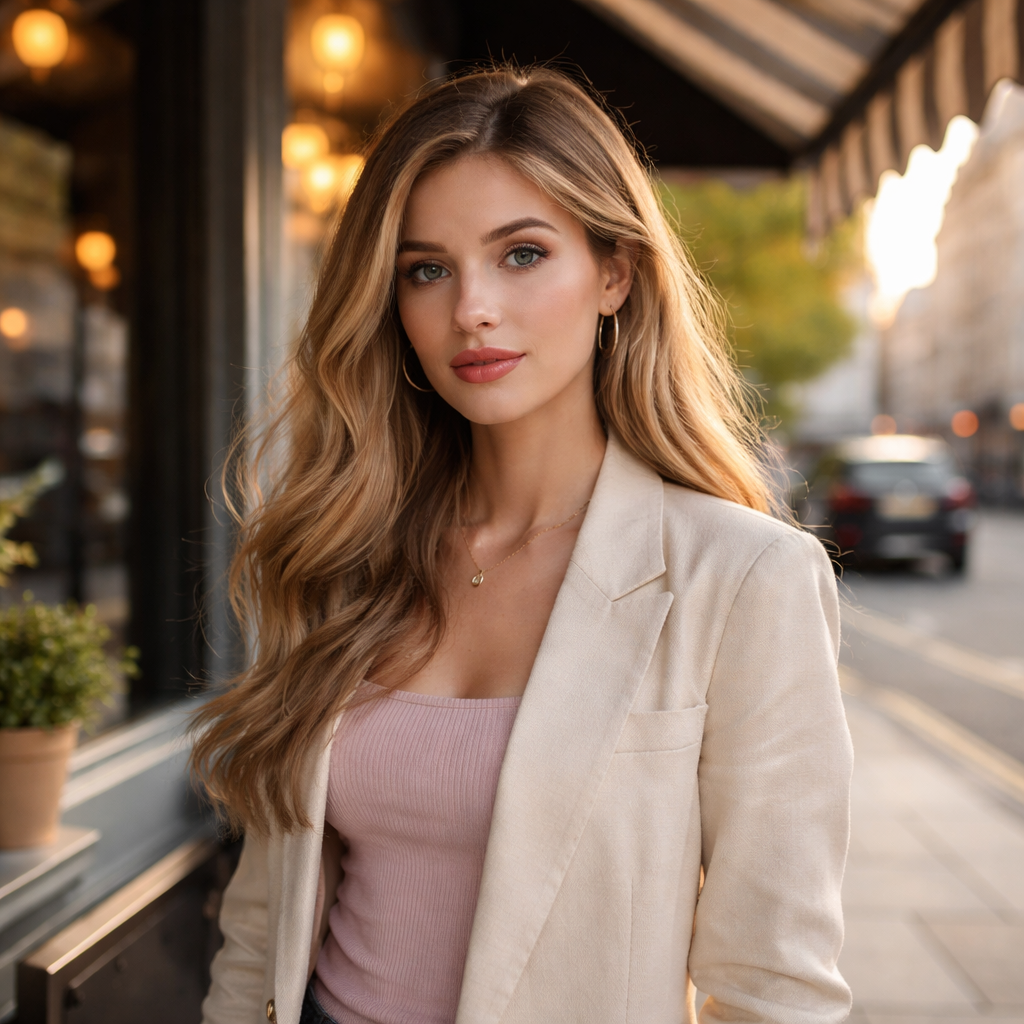
Open shade is the sweet spot. Look for a doorway, an awning or a tree canopy that blocks direct sun but still lets soft light spill through. I love the shade under a café roof on a bright summer day; the light is even and the shadows are gentle.
When the sky is overcast, you already have a giant diffuser. The clouds scatter the sun and give you a soft wrap that flatters skin. I’ve shot a whole family session in Manchester under a blanket of clouds and the results were naturally smooth.
Golden hour is another secret weapon. About an hour before sunset the light turns warm and low. Position the subject so the sun hits them from the side or from behind for a rim effect. If you shoot too close to the sun you’ll get a hard glare, but a few steps back gives a lovely edge light.
Don’t forget reflectors. A simple silver reflector can bounce light into a shadowed side and keep the catchlights alive. I keep a collapsible 5‑ft silver panel in my kit because it adds just a hint of fill without looking artificial. Here’s a quick checklist:
Find open shade or overcast sky.
Use golden hour for warmth and rim light.
Carry a small reflector for fill.
Adjust ISO to keep shutter speed above 1/160s.
Watch the direction of the sun and move the subject accordingly.
And a small side note , if you’re shooting indoors, a window works like a natural softbox. Place the subject about a metre from the glass and angle them so the light falls across the face.
For more depth on using natural light, see this guide from Digital Photography School. It breaks down shade, overcast and golden hour with real examples.
Another great read explains how to spot the best outdoor light in any UK season. It gives practical timing tips for sunrise and sunset.
Tip 2: Perfect Your Pose , Simple Guidance for Flattering Angles
Pose is the language of a portrait. A small tweak can turn a stiff shot into a lively one.
Start with the basics: shoulders back, chin slightly forward, eyes off the lens. That tiny chin lift opens the throat and avoids a double‑chin look. If you want more drama, angle the shoulders about 45 degrees from the camera and turn the head toward the light.
Make the subject move a little. Ask them to shift weight from one foot to the other or to roll their shoulders. The movement creates natural tension and the camera catches a relaxed pose.
Use props that feel real , a coffee cup, a book or a simple piece of fabric. Let the subject hold it loosely; the hand will look less stiff.
Communication matters. Ask simple questions like “What makes you smile?” and then capture that genuine grin. I often start a session with a quick chat about the weather or a favourite song; it breaks the ice and the subject loosens up.
Here are three quick pose ideas you can try right now:
Crossed arms, but keep the elbows soft. This adds structure without looking closed.
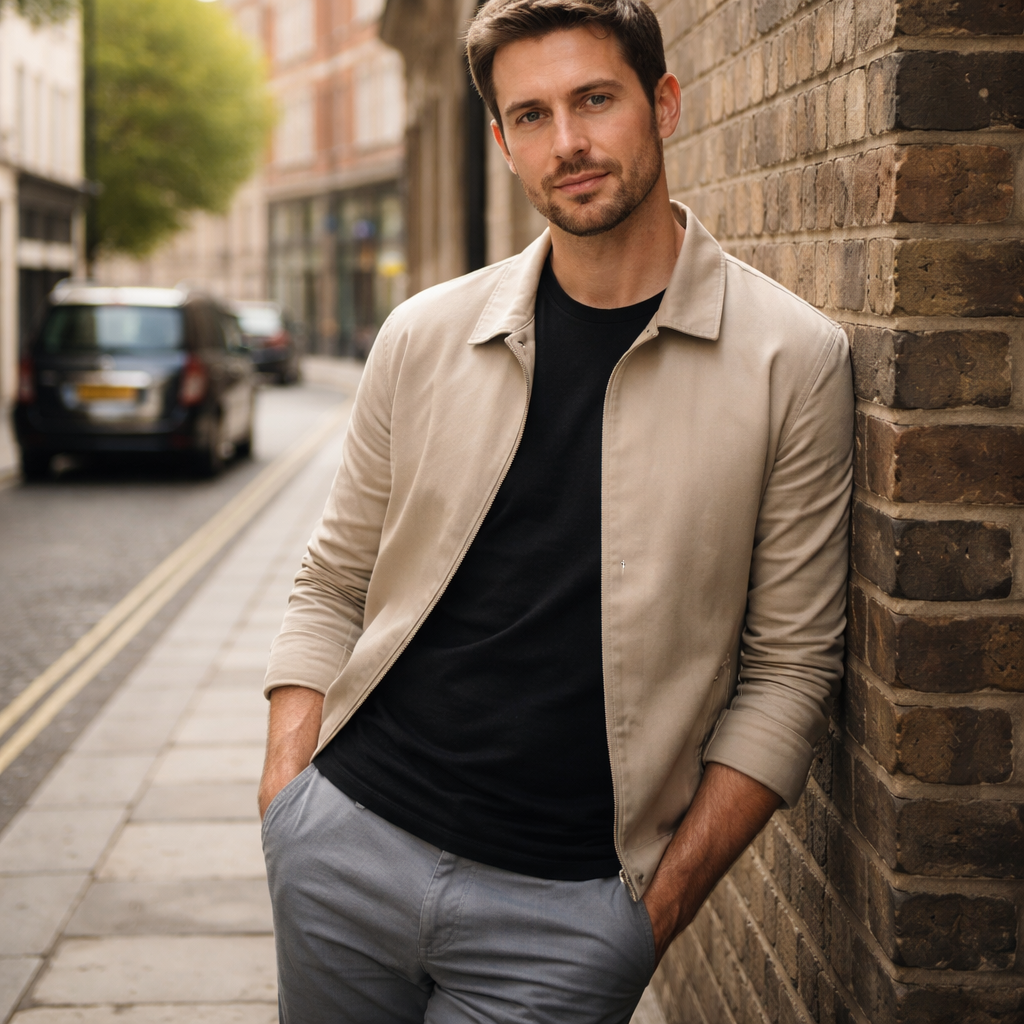
One hand in the pocket, the other lightly touching the chin. Gives a casual vibe.
Seated on a low stool, elbows resting on knees, eyes looking slightly away. Works well for headshots.
Remember to keep the eye level with the camera most of the time. Shooting from a lower angle can make a subject look dominant; from a higher angle it can feel vulnerable. Choose what fits the story.
The YouTube tutorial below shows a live demo of these poses and how to guide a subject step by step.
For a deeper dive into making subjects comfortable, read this article from Studio Gently. It shares real‑world tips on building rapport and using simple prompts.
Tip 3: Gear Essentials , What to Bring for Every Portrait Session
Gear doesn’t make the photographer, but the right kit makes the job smoother. Below is a quick rundown of what I always pack for a UK portrait day.
Portrait Photography Gear Essentials
A simple kit guide covering useful portrait gear, why it helps, and typical price points.
| Item | Why it helps | Typical cost (GBP) |
|---|---|---|
| Prime lens 85mm f/1.8 | Flattering compression and shallow depth of field for clean, professional-looking portraits. | ≈£900 |
| Zoom 70-200mm f/2.8 | Flexibility for everything from tighter headshots to longer full-length portrait work. | ≈£1,800 |
| Collapsible reflector (silver) | Useful for adding fill light when shooting with side light or backlight. | ≈£30 |
| Portable softbox | Creates even, soft light indoors and helps produce a more flattering result. | ≈£120 |
| Wireless flash trigger | Lets you trigger off-camera flash reliably and gives more control over your lighting. | ≈£80 |
| Tripod | Adds stability for longer exposures, self-portraits, or more controlled group shots. | ≈£150 |
Don’t forget a spare battery and enough memory cards. Nothing stops a session like a dead battery.
I always bring a small notebook to jot down lighting ratios or pose ideas on the spot. It helps keep the creative flow.
If you want a deeper look at gear choices, this article from Digital Photography School breaks down lenses, flashes and modifiers for portraits.
And for a free cheat‑sheet of essential gear, check out our free photography tips page.
Ready for a hands‑on practice assignment? Check out our portrait photography practice assignment to apply these tips.
Tip 4: Capture Movement , Using Shutter Speed to Add Life
Static portraits are fine, but a hint of motion can make a portrait feel alive. The key is shutter speed.
Start with 1/125s as a baseline. If the subject is standing still, that speed freezes minor movement. For a walking client, bump it up to 1/250s. For a child or a pet you’ll need 1/500s or faster.
Use motion blur creatively. Ask the subject to turn slowly while you keep the shutter at 1/30s. The background blurs, the face stays sharp, and you get a sense of movement.
Here’s a step‑by‑step way to test shutter speed on location:
Set your camera to Manual mode.
Choose a focal length you plan to shoot with.
Start at 1/125s and take a test shot.
Increase speed by one stop (double the speed) until the subject is crisp.
Note the fastest speed that still gives you the exposure you want.
Remember to keep ISO low (100‑200) when you can, to avoid noise. If the light is low, open the aperture a bit or add a reflector.
Watch the video below , it walks through shutter speed choices for different portrait scenarios.
After you’ve nailed the speed, review the images on the camera. Look for any motion blur on the eyes , that’s a sign the speed is too slow.
For more technical insight, watch this YouTube tutorial that explains how to balance shutter, aperture and ISO for moving subjects.
Tip 5: Post‑Processing Polish , Quick Editing Hacks in Lightroom
Editing is the final polish that turns a good portrait into a great one. Lightroom lets you do it fast.
First, apply a preset that matches your style , warm for sunrise shoots, cool for city backdrops. Then fine‑tune the exposure. A slight lift in the shadows brings out details in the hair without blowing out the highlights.
Next, add a subtle split‑tone. Push the highlights a tad yellow and the shadows a soft teal for a modern look. Keep it light , you want to enhance, not dominate.
Use the adjustment brush to brighten the catchlights in the eyes. A small brush with +0.2 exposure does the trick.
Finally, sharpen the skin just enough to keep texture. Too much makes the portrait look plastic.
Apply a style‑matching preset.
Lift shadows and tone down highlights.
Add a soft split‑tone for colour mood.
Brighten catchlights with the brush.
Apply modest sharpening and noise reduction.
Kevin Mullins’ site offers a set of Lightroom workflow packs that include exactly these steps. You can download the colour pack and get a ready‑made workflow.
For a free learning boost, our free online photography course walks you through a full Lightroom edit from start to finish.
FAQ
What is the best time of day for natural‑light portraits in the UK?
Early morning and late afternoon give you soft, directional light that flatters skin. Aim for about an hour after sunrise or two hours before sunset. Overcast days also work well because the clouds act like a giant diffuser. Adjust ISO to keep your shutter above 1/160s and you’ll avoid blur.
Do I need a pricey flash for indoor portraits?
Not at all. A single flash with a softbox can give you a professional look for under £150. Use a reflector opposite the flash to fill shadows. The research shows a single‑light Silver reflector setup costs the same as a three‑light 2‑stop ratio, so you can stay budget‑friendly.
How can I make my subjects feel comfortable?
Start with a short chat about something they enjoy. Offer a simple pose like “lean against the wall” and let them adjust. Small actions , a gentle shake of the shoulders or a quick walk , release tension. Praise genuine moments, and the subject will relax faster.
What focal length should I use for flattering headshots?
A lens between 85mm and 135mm on full‑frame gives a natural perspective and nice background blur. If you’re on a crop sensor, add the crop factor (1.5× or 1.6×) and aim for about 50‑70mm. This range compresses facial features just enough to look pleasing.
Can I edit out blemishes without looking fake?
Yes. In Lightroom use the spot removal tool at a low opacity and brush over the blemish. Keep the feather high so the edit blends with skin texture. If you need more control, a local mask in Photoshop lets you smooth only the area you want.
How do I choose the right aperture for a group portrait?
Start at f/4 to f/5.6. This keeps everyone’s face sharp while still giving a soft background. If the group is large and you need more depth, move to f/8. Always check focus on the nearest eye and re‑compose if needed.
Conclusion , Keep Practising and Join Our Workshops
These portrait photography tips give you a solid base, but the real magic comes from practice. Shoot in different light, try new poses and experiment with motion. When you feel ready, join one of our UK workshops , we run sessions in the Midlands, London and beyond. You’ll get hands‑on feedback, learn the nuances of lighting and walk away with a portfolio that shows your growth. And if you want a quick start, grab our free online photography course , it walks you through gear, settings and editing step by step.
Looking for a professional photographer near you? Find one here.
Keep shooting, keep learning, and watch your portrait work improve day by day.