
Master Lightroom Photo Editing in Coventry – 3-Week Course
Lightroom photo editing course in Coventry — turn your RAW and JPG files into finished photographs
A friendly three-week evening course covering the complete Adobe Lightroom Classic workflow — organising and importing, global adjustments, and precise local editing — with hands-on help on your own laptop whenever you hit a problem.
Maximum three people, so you get real attention and the time to ask questions and practise as you learn.
A Lightroom course that finally makes editing make sense
Coventry · three weekly evenings · max 3 people · all beginners welcome
Most people who come to this course have a growing folder of RAW and JPG files they don’t know what to do with — or they’ve dabbled in Lightroom and got lost between the Library and Develop sides. They’ve watched the videos, and the workflow still doesn’t quite click. That’s exactly who this course is for.
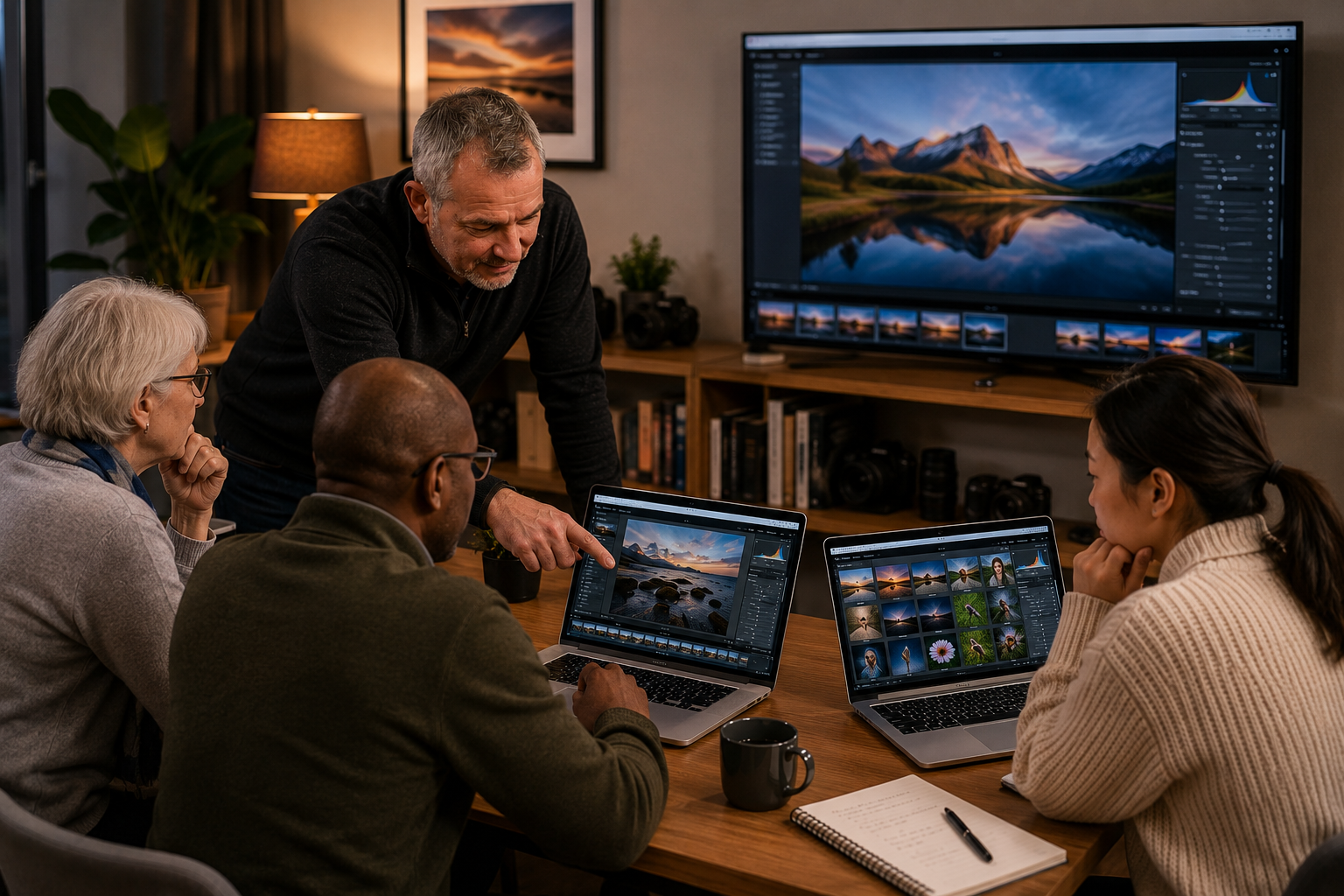
Over three relaxed evening sessions we build the complete Adobe Lightroom Classic workflow properly: organising and importing, global adjustments, and precise local editing, in a logical order that actually sticks. You work on your own laptop, at your own pace, with hands-on guidance and feedback every step — not a lecture, but a small friendly class where there’s genuinely no such thing as a silly question.
You’ll leave able to take a photo from import right through to a finished, consistent edit, and understand why each tool matters. Prefer one-to-one, or the evenings don’t fit? The same content is available as private photography lessons or online 1-2-1 over Zoom.
Is this course right for you?
If any of these sound familiar, you’re exactly who it’s for.

Prefer 1-2-1, online, or the evening times don't fit?
The three-week classes run on set evenings. If the dates or times don't work around your job or family, you don't have to miss out — Lightroom is ideal to learn one-to-one, in person or over Zoom with screen-sharing. Alan's 4 × 2-hour private 1-2-1 package (£360) covers everything in this course and more, scheduled entirely around you.
Why a structured class beats teaching yourself
Lightroom is huge, and it’s easy to lose months going round in circles with random tutorials — because scattered videos can’t:
- Give you a logical order to learn it in — import, organise, develop, export
- Watch your screen and fix the exact thing you’re stuck on
- Give you a repeatable workflow you can actually stick to afterwards
- Answer your questions or let you engage in the moment
- Look at your own edits and tell you exactly what to fix — not generic examples
In a small class you get all of that — personal, current, and tailored to your own photos.
Your three weeks, step by step
Organise & import
Catalogues, importing, collections, keywords and star ratings — get on top of your photo library for good.
Global adjustments
The histogram, exposure, white balance, contrast, tone curves and sharpening — the core develop tools.
Local adjustments
Graduated and radial filters, adjustment brushes and spot removal — and building a consistent style.
What’s included for £150
- All tuition and practical guidance across three two-hour evening sessions
- Class and course notes for each module
- Practical assignments to work on between sessions
- Constructive image review and feedback throughout the course
What to bring
You’ll need your own laptop with Adobe Lightroom Classic installed and an active subscription. Please install it and sign in before the first session so we can get straight into editing. Alan provides a training Lightroom library of images to work from, so you can follow every tool hands-on. No prior editing experience is needed — just turn up ready to practise and ask plenty of questions.
Learn editing from a qualified professional
Alan is a BIPP-qualified professional photographer (ABIPP) and an Associate of the Royal Photographic Society (ARPS), and has been teaching for over 15 years. He teaches a real, repeatable Lightroom workflow — the same approach he uses on his own images. His mentoring clients have a 100% RPS distinction pass rate — 20+ LRPS and 4 ARPS to date.
Choose your start date and book your place

For those who want to implement the best workflow for image management and all the dos and don'ts of post-production with these Photo Editing Classes with Lightroom
Adobe Lightroom Classic Courses for Beginners - Coventry
Location: 45 Hathaway Road, Coventry, CV4 9HW
Duration: 3 × 2hr evening classes (19:00–21:00)
Participants: Max 3
Start Dates:Lightroom Editing Course
Coventry 3 wks - Mon 7 Sep - 21 Sep 2026
Coventry 3 wks - Thu 12 Nov - 26 Nov 2026
Coventry 3 wks - Tue 12 Jan - 26 Jan 2027
Coventry 3 wks - Thu 6 May - 20 May 2027
Level: Beginners
Description: A practical three-week evening course that takes you from a messy photo library and untouched RAW files to a finished, repeatable Lightroom Classic workflow — working on your own laptop throughout.
Week 1 is about getting organised: catalogues, importing, collections, keywords and star ratings, so you can find and manage your photos for good rather than losing them across folders.
Week 2 moves on to global adjustments — reading the histogram, then exposure, white balance, contrast, tone curves and sharpening — the core develop tools that do most of the work on any image.
Week 3 covers local adjustments — graduated and radial filters, adjustment brushes and spot removal — and pulling it together into a consistent, repeatable style across your photos.
With a maximum of three people, you get real hands-on help on your own screen whenever you hit a problem, plus course notes for each module and practical assignments to work on between sessions. Beginners welcome — no editing experience needed; just bring a laptop with Adobe Lightroom Classic installed and an active subscription.
Equipment: You will need a laptop with Adobe Lightroom Classic subscription and the App installed. Alan will provide you with a training Lightroom Library with images and use that to explain and then demonstrate the various tools.
Booking terms
A non-refundable deposit secures your place. Cancellations less than four weeks before the start date are not refundable, and no-shows forfeit the fee. Changing your date, or rebooking a missed class, incurs a £50 rebooking fee. Classes run with a minimum of two and a maximum of three participants; under-18s are welcome when accompanied by a paying adult. Interest-free payment plans and gift vouchers are available. Read the full booking terms & conditions →
What students say
★ 800+ verified 5-star reviews · Google & Trustpilot →
“Great Lightroom beginners course — brilliant course covering quite a lot but giving enough practical exercises to take away. Excellent content and Alan is a very knowledgeable trainer.”
Nuria Alonso · Google“Really enjoyed the Lightroom course — an excellent grounding of all the ‘tools in the box’ and a great workflow process to get the best out of your pictures.”
Dan Thomas · Google“I had thousands of missing photographs in the Lightroom Classic catalog. This is fixed now. An excellent experience entirely — would recommend Alan to a friend.”
Paul Schoenfeld · GoogleLightroom photo editing course — FAQs
What do I need to bring, and what software do I need?
Bring your own laptop with Adobe Lightroom Classic installed and an active subscription. Please install it and sign in before the first session. Alan provides a training Lightroom library of images to work from, so you can follow every tool hands-on — you don’t need to bring your own photos to start.
I’ve never edited before — will I keep up?
Yes. The course assumes no prior editing experience and starts from the very beginning — importing and organising before we touch any develop tools. With a maximum of three people there’s time for questions and individual help on your own screen.
Do I need to shoot in RAW?
No — the workflow applies to both RAW and JPG files. That said, RAW is where editing makes the biggest difference, and the course covers exactly why, so you’ll get the most from it if you start shooting RAW afterwards.
Lightroom Classic or the cloud version — which do I need?
This course teaches Lightroom Classic (the desktop, catalogue-based version), which is what most enthusiasts and professionals use. If you only have the cloud-based Lightroom, get in touch before booking and Alan will advise.
Why only three people per class?
Editing is best taught looking over your shoulder at your own screen. A maximum of three keeps it genuinely hands-on, so when you hit a problem Alan can see exactly what’s happening and help there and then.
Is there parking at the venue?
Yes — there’s space for two to three cars on the premises, plus free roadside parking on the cul-de-sac.
What if I miss one of the three weeks?
The course runs as a fixed three-week block, so a missed session can’t be repeated within it. You’ll still receive the full course notes for that week, and if you’d like to cover it properly you can book a one-to-one private lesson with Alan to go through what you missed.
Is the venue accessible?
The classroom is on the ground floor with step-free access. Please note the toilet is on the first floor, up a flight of stairs. If you have any specific access needs, get in touch before booking and Alan will do his best to help.
Can under-18s attend?
Yes — younger photographers are welcome, but anyone under 18 must be accompanied by a paying adult on the course.
What can I do after the course?
Most people pair editing with the beginners camera course to strengthen their shooting, or continue with monthly mentoring or 1-2-1 lessons. If you’re aiming higher, there’s also RPS distinction support.
Where the classes happen
Good to know
Everything you need at a glance
| Detail | What to expect |
|---|---|
| Location | 45 Hathaway Road, Coventry, CV4 9HW · Tile Hill |
| Format | 3 weekly evening classes · 7–9pm |
| Group size | Maximum 3 · small and personal |
| Level | Beginners · no prior editing experience needed |
| Price | £150 · includes course notes for each module |
| Equipment | Your own laptop with Adobe Lightroom Classic installed and an active subscription |
| Parking | 2–3 cars on site, plus free roadside parking |
| Access | Ground-floor classroom, step-free; toilet on first floor |
Ready to take control of your editing?
Three evenings, a small group of just three, and a proper Lightroom workflow from import right through to export — that’s all it takes to stop going round in circles. Choose a start date that suits you above, or if the fixed evenings don’t fit, take the same content one-to-one.
Choose your dates & bookEvenings don’t fit? Take it 1-2-1 in person or online over Zoom. Or start free with the online photography academy.