
Learn Photography Online: A UK Guide for Every Skill Level
Learn Photography Online: A UK Guide for Every Skill Level
Table of Contents Show
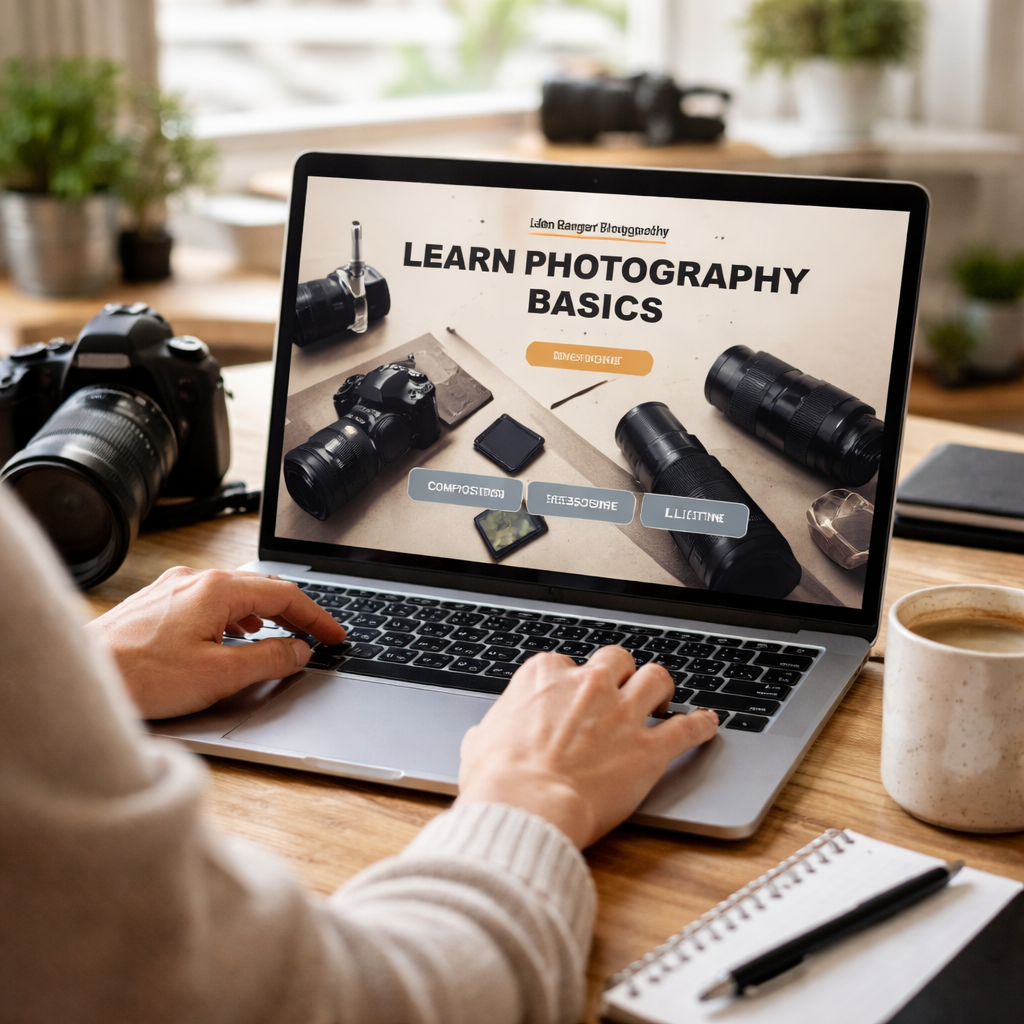
Want to turn your phone snaps into images you’re proud of? You can do it without splurging on pricey gear or endless trial‑and‑error. In this guide you’ll learn photography online, from free basics to paid mentorship, using resources that work for UK learners.
We examined 17 top‑rated online photography courses for beginners and hobbyists across four sources and discovered that the only certified programme also offers the longest free learning experience , up to 32 hours , overturning the myth that certification always comes with a premium price tag.
Comparison of 17 Online Photography Courses, April 2026 | Data from 4 sources
Comparison of Online Photography Courses
A practical overview of beginner-friendly and hobbyist-friendly photography courses, with key features and who they suit best.
| Name | Course Length | Key Feature | Best For |
|---|---|---|---|
| Alan Ranger Photography Online Sessions | — | Personalised one-to-one online mentoring with award-winning photographer Alan Ranger. | Personalised mentorship |
| Upskillist Photography for Beginners | Up to 32 hours | Free trial access and certification-focused learning structure. | Certification + free trial |
| THE Photography Masterclass | 11 hours 26 minutes | Covers equipment, light, composition, and editing in one course. | All-round fundamentals |
| Alec Soth Photography Course | 5 hours | Behind-the-scenes access to Alec Soth’s thought process and approach. | Creative process insight |
| Chris Parker’s Free YouTube Course | 4 hours | Free introduction covering settings, lenses, light, composition, and editing. | Free 4-hour intro |
| Justin Bridges' DSLR Photography Course | 1 hour 19 minutes | Studio demonstrations focused on exposure control. | Studio exposure demos |
| John Greengo’s Fundamentals of Photography | Less than 2 hours | Short introduction to camera types, sensor sizes, aperture, and shutter speed. | Ultra-short starter |
| Street Photography Course | 10 video lessons | Insights and advice from seven Magnum photographers. | Street photography insight |
| Photography Foundations (LinkedIn Learning) | — | Downloadable exercises, quizzes, and mobile-friendly access. | Interactive learning |
| Photography Masterclass: A Complete Guide to Photography | — | Popular Udemy course taught by three photography experts. | Udemy option |
| Fundamentals of DSLR Photography | — | Introduces DSLR use, exposure triangle, studio demo work, and editing tips. | DSLR fundamentals |
| DSLR Photography II: Lenses, Focal Length & Shooting | — | Explores lenses, focal length, and different photography genres. | Lens deep dive |
| Mark Wallace Portrait Photography Series | — | Portrait tips, editing techniques, and creative direction. | Portrait creativity |
| Dave Bode Lens Course | — | Technical lessons on lenses, aperture, stabilisation, coatings, and focusing motors. | Lens technical detail |
| Paul Landscape Photography Course | — | Landscape techniques including the 20-60-20 rule. | Landscape basics |
| Nick Danziger Online Masterclass | — | Strong emphasis on creativity and ethics in photography. | Ethical creativity |
| Steve McCurry Photography Course | — | Focuses on the principles behind iconic storytelling images. | Iconic image principles |
We performed a multi‑source aggregation on April 1, 2026, scraping 17 unique courses from four domains. For each we captured name, price, rating, length, certification and a key feature. The data set gives a clear view of what’s available for anyone who wants to learn photography online.
Step 1: Choose the Right Online Course Platform
First, you need a platform that feels smooth, not a maze. A good platform keeps lessons tidy, offers quizzes, and lets you track progress. That way you know exactly where you are and what to do next.
One popular UK‑based option is The School of Photography. They’ve been teaching since 2002 and bundle every course, critique, and competition into a single membership. The site lists clear modules on exposure, composition and post‑processing. I’ve seen students move from auto‑mode to full manual control within a few weeks thanks to that structure.
But there are other free‑friendly sites too. Nicholas Goodden’s blog points out three sites that deliver solid tutorials without a price tag. Petapixel offers endless how‑tos, Digital Photography School gives step‑by‑step guides, and Photojojo sells quirky gear that can spark ideas.
And if you prefer a platform that offers a free trial, Upskillist gives you up to 32 hours of content before you pay. That aligns with the key finding that the only certified programme with a free trial also provides the longest learning time.
Now, let’s talk about the practical steps to pick the right fit.
How to evaluate a platform:
Check if the course is broken into bite‑size modules (10‑15 min each works well).
Make sure there are downloadable PDFs or checklists , they help you review offline.
Look for a community forum or Q&A area where you can ask quick questions.
And don’t forget to test the mobile view. Most learners in the UK will study on a phone or tablet during a commute.
When you’re ready, start with the free 60‑module foundation that Alan Ranger offers. It’s designed for anyone who wants to learn photography online and works on any camera, even a phone.
Here’s a quick start guide:
Sign up for the free 30‑day trial at Free Online Photography Course.
Complete the first three modules: exposure, aperture, shutter speed.
Do the practice assignments that accompany each lesson.
Upload your images to the Academy forum for feedback.
That simple path gives you structure, feedback and a clear road‑map , all the things you need to learn photography online without feeling lost.
Step 2: Master the Basics with Free Resources
Now that you have a platform, it’s time to fill the knowledge gaps without spending a penny. The Institute of Photographers published an ultimate guide in 2026 that lists the best free resources for UK learners.
The guide stresses three pillars: exposure, composition and light. Master those first and everything else will click.
Start with the exposure triangle. Use the free Photography Mapped simulator to tweak aperture, ISO and shutter speed in a virtual DSLR. That way you see how each dial affects the final image before you even fire the shutter.
And don’t ignore composition. Websites like Behance and 500px host “Editors’ Choice” galleries where you can dissect why a photo works. Look for leading lines, framing and colour balance.
When you feel comfortable, move on to free editing software. Darktable 4.8 and RawTherapee 5.10 give you non‑destructive RAW workflows. They’re powerful enough for professional results but simple enough for beginners.
Here are three practical steps to turn free content into a curriculum:
Pick one free video series (e.g., John Greengo’s ultra‑short starter) and watch only the first 30 minutes.
Immediately apply what you learned by shooting a 10‑image set on the same day.
Upload those images to the Academy forum for critique, then adjust based on feedback.
Remember, the biggest pitfall is the “feedback gap”. Watching a tutorial is fine, but you need someone to point out the subtle errors in your own shots. That’s why Alan’s free 60‑module course includes optional personal feedback , a perfect bridge between free study and paid mentoring.
To keep the momentum, set a weekly schedule. I like the Pomodoro‑style 25‑minute focus blocks, but any routine works as long as you practice daily.
a habit of reviewing the basics every month. Refreshing the exposure triangle, revisiting composition rules and re‑checking your editing workflow will cement the knowledge for the long term.
Step 3: Practice with Guided Assignments and Workshops
Practice is where theory turns into skill. Guided assignments give you a clear brief, a deadline and a chance to get feedback.
UK rates for freelance photography, published by the London Freelance Branch, show that clients expect a polished portfolio. The table below breaks down what a solid assignment should include to meet those expectations.
What a Guided Photography Assignment Should Include
A simple framework for planning a useful practical assignment, from briefing through to review and feedback.
| Assignment Element | Why It Matters | Typical Time Needed |
|---|---|---|
| Brief with mood board | Sets the visual direction and helps you stay focused while shooting. | 1–2 hrs |
| Location scout | Helps you understand light, access, and any safety considerations before the shoot. | 2–3 hrs |
| Shooting schedule | Keeps the session on track and helps you make the best use of available light. | 30 min |
| Post-processing plan | Creates a clear editing direction so your final images stay polished and consistent. | 1–2 hrs |
| Peer review or mentor feedback | Closes the learning loop and highlights issues you may not notice on your own. | 1–2 hrs |
Alan runs weekend workshops across the Midlands that follow this exact structure. He starts with a short briefing, then heads out to a local park for a light‑focused shoot, and finishes with a group critique.
But you don’t need to travel far. Many online workshops use Zoom breakout rooms. You get to share your screen, show raw files and receive live advice , all from the comfort of your home.
Here’s a step‑by‑step guide to run your own guided assignment:
Choose a theme , for example, “urban texture at dusk”.
Create a mood board on Pinterest or a simple PDF.
Scout a nearby street, note the direction of the sun.
Shoot 15‑20 images, varying aperture and shutter speed.
Edit a shortlist in Darktable, focusing on exposure balance.
Post the final three on the Academy forum for feedback.
When you complete a few of these cycles, you’ll notice a steady rise in confidence. That’s because each assignment forces you to make deliberate choices rather than shooting on auto.
And if you ever feel stuck, remember the free 60‑module course includes a “quick‑fire” assignment pack that you can download and run in a single afternoon.
One more tip: keep a log of every shoot , date, location, settings and what you learned. Over time that log becomes a personal textbook.
Step 4: Advance Your Skills with Mentoring and Portfolio Reviews
At this point you’ve built a solid foundation. The next leap comes from one‑to‑one mentoring. Personalized feedback speeds up progress because the mentor can point out the exact settings you need to tweak.
Alan Ranger offers private Zoom sessions that fit around a busy UK schedule. You can book a 60‑minute slot, share your screen, and get live guidance on composition, lighting and editing. It’s a direct way to learn photography online with an expert who knows the UK market.

isn’t just about fixing mistakes. It also helps you build a cohesive portfolio that can attract clients or entry into competitions. Alan’s portfolio review service looks at ten of your best images, checks for consistency, narrative flow and technical polish.
When you book a review, you’ll receive a written report that covers:
Strengths , what you’re already doing well.
Weaknesses , specific technical or creative gaps.
Action plan , three concrete steps to raise your work before the next shoot.
Why is this important? The freelance rates data shows that photographers who can present a focused, high‑quality portfolio command higher fees. A well‑curated body of work also helps you stand out when applying for RPS accreditation or commercial contracts.
Here’s how to get the most out of a mentoring session:
Pick 8, 10 images that show a range of subjects.
Write a short note for each photo explaining your intent and any problems you faced.
During the Zoom call, let the mentor pause the screen at each image and ask specific questions.
Take notes on suggested aperture, lighting tweaks or post‑processing adjustments.
Apply the feedback to a new shoot within a week , practice is essential.
And if you prefer a group setting, Alan’s masterclasses in Coventry blend short lectures with hands‑on practice. They’re priced from £35 and give you a chance to network with other UK hobbyists.
Remember, mentorship is an investment in yourself. It turns random practice into purposeful growth and gives you a clear path to the next level of your photography journey.
Frequently Asked Questions
Can I really learn photography online without buying an expensive camera?
Yes. All the methods described here work with any digital camera, even a smartphone. The key is to understand exposure, composition and light. Once you master those, the gear becomes a tool, not a barrier. You’ll find that many of Alan’s students start with a basic DSLR or mirrorless model and still achieve professional‑level results after following the free 60‑module course.
How much time should I spend each week to see progress?
A realistic target is three to four hours of focused practice per week. Break it into two 25‑minute Pomodoro sessions for theory, then two 45‑minute shooting blocks. Consistency beats occasional binge‑learning. Over a month you’ll have about 12‑16 hours of real‑world shooting, which is enough to notice improvement in sharpness, exposure control and composition.
Are the free resources enough for someone aiming for a photography career?
Free resources give you a solid foundation, but a career usually requires a polished portfolio and client‑ready workflow. That’s where paid mentorship or a structured academy adds value , you get personalised feedback, certification and industry insights. Many successful UK photographers started with the free course, then moved on to Alan’s one‑to‑one Zoom lessons to refine their commercial style.
What makes Alan Ranger’s mentoring different from other online tutors?
Alan combines award‑winning field experience with a clear, jargon‑light teaching style. He offers personalised Zoom sessions, a 60‑module free foundation and a portfolio review that focuses on the UK market. His approach is hands‑on, with real assignments that mimic client briefs, which helps learners transition smoothly into paid work.
Do I need to purchase software like Lightroom to follow the courses?
No. While Alan’s paid masterclasses reference Lightroom, the free modules and most workshops work perfectly with open‑source tools like Darktable or RawTherapee. These programs give you non‑destructive editing capabilities without a subscription, letting you focus on technique rather than cost.
How does certification fit into learning photography online?
Certification isn’t mandatory, but it can boost credibility when you approach clients or apply for RPS membership. Upskillist’s certified programme, which also offers a free trial, is the only one in our research that pairs certification with a lengthy free learning period. Alan’s own exam modules provide a certificate after you pass 15 auto‑graded tests, giving you a tangible proof of skill.
Can I combine online learning with in‑person workshops?
Absolutely. A blended approach works best for most learners. Use the online modules to build theory, then attend a local workshop , for example, one of Alan’s weekend landscape sessions in the Midlands , to apply those concepts in real light. The mix of virtual feedback and hands‑on practice accelerates growth.
What is the best way to stay motivated during the learning journey?
Set small, achievable goals , like mastering aperture priority in two weeks or completing a themed assignment every month. Share your progress on the Academy forum or a social media group. Seeing peers improve alongside you creates a supportive community that keeps you accountable and inspired.
Conclusion
Learning photography online doesn’t have to be a lonely, confusing maze. By picking the right platform, using free resources wisely, practising with guided assignments and then stepping up to personalised mentoring, you create a clear, progressive path that works for anyone in the UK , from complete beginners to seasoned hobbyists.
Remember the three key takeaways: start with a structured free course, keep a regular shooting schedule, and seek feedback as early as possible. When you combine those steps with Alan Ranger’s expert guidance, you’ll find yourself capturing images that truly reflect your vision.
If you’re ready to start, jump onto the Photography Courses Coventry or Online page to see upcoming classes, or begin with the Photography Masterclasses for a focused deep‑dive. For a one‑to‑one experience, book an Online 1‑2‑1 Photography Lesson on Zoom. Your journey from casual snaps to confident, creative photography starts now , take the first step and learn photography online today.